Professional Content Management System Solutions Toronto

For Toronto businesses, a content management system (CMS) acts as the essential engine that organizes data for Google AI to index effectively. By adopting open-source CMS platforms—such as Drupal, WordPress, or Wagtail—firms gain total control, lower costs, and complete data ownership, avoiding the constraints of proprietary software.

Popular CMS Platforms

These solutions provide the flexibility and structure that Google AI demands. A well-implemented content management system allows developers to tailor every aspect of your site—from semantic design to complex schema—to meet precise search requirements. This ensures your site feeds clean, machine-readable information to crawlers, helping your content rank higher. With the vast ecosystem available for these CMS platforms, your Toronto business can easily scale and add new features as you grow, ensuring your digital foundation evolves continuously without the need for disruptive migrations.

Confident PDR

Confident PDR

November 1, 2018

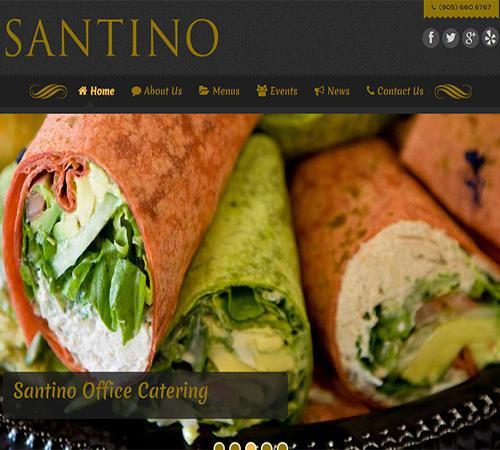
Santino Catering

Santino Catering

November 1, 2018

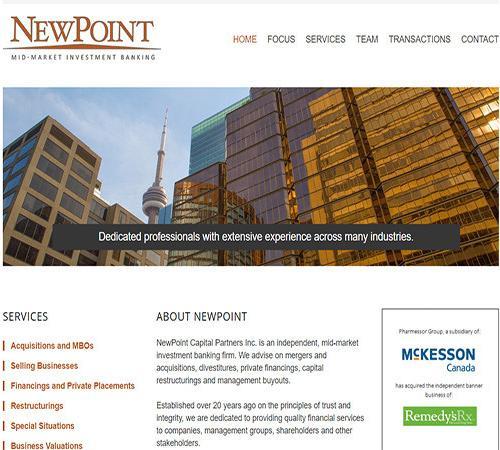
Newpoint Inc.

Newpoint Inc.

November 1, 2018

Ease of Content Management with Popular CMS

For Toronto businesses navigating the digital landscape, the ease of use provided by a modern content management system is a pivotal benefit. These CMS platforms empower non-technical users to control their online presence without constant developer intervention, a significant advantage in dynamic markets like Vaughan.

User-Friendly Interfaces and Intuitive Editing

Content Management SystemPopular open-source options like WordPress, Drupal, or Wagtail prioritize intuitive interfaces. This allows Toronto marketing teams to easily create and publish content without coding. Features like WYSIWYG editors mirror standard word processors, enabling businesses to quickly update promotions or publish blog posts, ensuring their online presence remains fresh and engaging for audiences across the city.

Streamlined Workflows and Collaborative Features

Beyond basic editing, these CMS platforms offer robust tools for managing content workflows. Features include granular user roles and version control, providing a safety net for edits. For businesses in a bustling city like Toronto where multiple team members contribute, these collaborative features streamline the content management system process, improve internal efficiency, and ensure that your site content is consistent and always up-to-date.

Extensibility for Evolving Content Needs

The flexibility of a professional content management system is further enhanced by vast extensibility. As your Toronto business grows, your digital needs will evolve. Whether you are adding booking systems, property listings, or advanced publishing workflows, these platforms scale without requiring a complete website overhaul. This adaptability ensures your digital foundation remains future-proof, providing a flexible solution for any growing Toronto business.

What is a CMS?

A content management system (CMS) is a software application that empowers users to create, manage, and modify digital content on a website without needing extensive coding knowledge. Think of it as an intuitive dashboard acting as an intermediary between you and complex development languages like HTML, CSS, or JavaScript. Instead of manually writing code for every update, a CMS provides user-friendly tools for tasks such as adding new pages, uploading media, formatting text, and publishing posts. This separation of content from design allows non-technical individuals, including business owners and marketing teams in Vaughan and across the Greater Toronto Area, to efficiently maintain their online presence. Ultimately, the value of a CMS lies in its ability to streamline the entire content lifecycle, enabling rapid updates, collaborative workflows, and consistent branding, making it an indispensable tool for anyone seeking to manage dynamic web information effectively for both human visitors and AI crawlers.

Cost of CMS

For GTA businesses, reliability and security are the most critical factors when choosing an open-source content management system. Unlike proprietary software, the transparency of open-source code allows a global community of developers to identify and patch vulnerabilities almost instantly.

Platforms like Drupal are globally recognized for their stringent security standards, making them a top choice for high-stakes government and enterprise projects in Vaughan. Meanwhile, WordPress offers a secure environment when paired with regular updates and reputable plugins. By leveraging these robust CMS platforms, your business benefits from continuous community vigilance, ensuring your data remains protected against emerging threats while maintaining high performance. When managed with professional best practices, these systems provide a safer, more reliable digital foundation than most closed-source alternatives.

Reliability & Security

For GTA businesses considering an open-source content management system, reliability and security are paramount considerations, and these platforms generally offer robust solutions that often exceed proprietary alternatives. The inherent transparency of open-source code means that vulnerabilities are identified and patched quickly by a global community of developers, often faster than in closed-source systems where only the vendor’s team monitors for flaws. Platforms like Drupal have a dedicated security team and a strong track record, making them a preferred choice for government agencies and large enterprises globally, including those with operations in Vaughan. WordPress, while sometimes perceived as less secure due to its massive popularity, benefits from a vast ecosystem of security plugins and active community vigilance, making it highly secure when best practices—such as regular updates, strong passwords, and reputable plugins—are followed. Businesses can leverage collective intelligence and continuous improvement in CMS platforms.

How Custom and Commercial Plugins can help extend a CMS?

While a content management system (CMS) provides a robust foundation for your website, modern businesses often require specialized features beyond core functionality. This is where WordPress plugins—and their equivalents in other CMS platforms—become essential. content management system pluginsBoth commercial and custom-developed extensions are vital for expanding your platform’s capabilities. Without this extensibility, a CMS would be far less versatile, limiting its ability to meet the unique and evolving demands of your digital presence.



Commercial Plugins: Ready-Made Solutions for Common Needs

Commercial plugins provide a cost-effective, “plug-and-play” way to add widely used functionalities to your site. Developed by third parties with extensive support and documentation, these tools are ideal for Toronto businesses looking to save development time. Whether you need advanced SEO tools, robust WooCommerce enhancements, or seamless social media integrations, commercial options allow your Vaughan-based team to manage new features with intuitive, user-friendly interfaces—all without the need for extensive custom coding.

Custom Plugins: Tailored Solutions for Unique Requirements

Custom plugins are engineered from scratch to solve specific business challenges that off-the-shelf solutions cannot address. Whether you need to integrate a bespoke CRM system, build a niche booking engine for the GTA market, or develop unique data visualization tools, custom development provides unparalleled flexibility. While this requires a higher upfront investment, it offers a distinct competitive edge by eliminating “bloat” from unused features. By creating a solution that perfectly aligns with your internal processes, you can deliver a truly unique digital experience that is tightly integrated with your core business operations.

Benefits of AI Web Design

  • Content Creation & Editing: User-friendly interfaces, often with WYSIWYG (What You See Is What You Get) editors, to easily write, format, and publish text, images, and other media.
  • Content Types/Custom Post Types: Ability to define different types of content each with its own specific fields and settings.
  • Media Management: Tools to upload, organize, and manage digital assets like images, videos, and documents.
  • Taxonomy & Categorization: Systems for organizing content using tags, categories, and hierarchical structures to improve navigation and searchability.
  • Menu Management: Intuitive tools to create and manage navigation menus, including multi-level and custom links.
  • User Management & Roles: Comprehensive systems for creating user accounts, assigning different roles, and granting granular permissions.
  • Content Moderation & Workflow: Features to manage content through different stages (draft, pending review, published), supporting editorial workflows.
  • Revision Control: Ability to track changes to content and revert to previous versions if needed.
  • Themes/Templates: A vast selection of pre-designed templates or themes that control the website’s look and feel, which can often be customized.
  • Layout Management: Tools (often drag-and-drop) to control the layout of pages and placement of content blocks.
  • Responsive Design: Most modern open-source CMS and their themes are built to be responsive, ensuring the website looks good on desktops, tablets, and mobile devices.

Ai Web Design Challenges

  • Plugins/Modules/Extensions: A massive ecosystem of add-ons that can be installed to extend functionality without coding (e.g., SEO tools, contact forms, e-commerce, social media integration, security enhancements).
  • Open Source Codebase: The source code is publicly available, allowing developers to inspect, modify, and extend the platform to meet highly specific requirements.
  • APIs (Application Programming Interfaces): Provide ways for developers to interact with the CMS data and functionality, enabling integrations with other systems or building custom applications (especially relevant for “headless” CMS use cases).
  • Developer-Friendly Tools: Often include command-line tools (like Drush for Drupal), robust APIs, and adherence to modern coding standards to facilitate development.
  • Caching: Built-in or easily implementable caching mechanisms to improve website speed and performance by reducing server load.
  • Security Updates: Regular security updates and patches released by the active developer community to address vulnerabilities.
  • Scalability: Designed to handle increasing amounts of content and traffic, making them suitable for growing businesses and large enterprises.
  • SEO-Friendly URLs: Support for clean, descriptive URLs that are good for search engine optimization.
  • Meta Data Management: Tools to manage page titles, meta descriptions, and keywords for SEO purposes.
  • XML Sitemaps: Often include features to generate XML sitemaps to help search engines crawl and index the site.
  • Analytics Integration: Easy integration with web analytics tools (e.g., Google Analytics) to track website performance and user behavior.

Unmatched Expertise in Content Management System

cms developer content management system

DTW is the premier choice for businesses seeking an expert content management system developer. We understand the unique digital challenges across Toronto, Vaughan, Mississauga, and beyond. We don’t just build websites; we craft high-performance digital platforms designed for sustainable growth. Our technical proficiency spans the world’s most robust open-source CMS platforms—including WordPress, Drupal, and Wagtail. Rather than forcing your business into a template, we perform a thorough needs analysis to recommend the ideal architectural solution. This ensures your custom-built content management system is not only visually stunning but also highly secure, infinitely scalable, and optimized to drive lead generation across Scarborough, Markham, Barrie, Brampton, and the Niagara region.

Furthermore, our commitment to ongoing collaboration makes DTW an invaluable partner for enterprises at every stage of their digital evolution. We work closely with your team from initial discovery through deployment, ensuring that every feature aligns with your long-term vision. Beyond initial development, we provide continuous expertise in SEO, performance tuning, and security monitoring—all critical for maintaining a dominant search presence in competitive markets. Our team of expert designers and developers works in concert to create solutions that simplify complex content management tasks for your staff while maximizing your website’s ability to attract qualified traffic and boost sales. By blending a holistic strategy with a deep, localized understanding of the Ontario business environment, DTW positions itself as your most reliable and effective CMS platforms development partner, dedicated to your long-term digital success.

Content Management System - FAQ

What exactly is a content management system (CMS)?

A content management system (CMS) is a software application that allows you to create, manage, and modify digital content on your website without needing deep technical or coding knowledge. It acts as an intuitive dashboard that separates your content from the underlying code, making it easy to update text, images, and pages.

Why do I need a CMS for my Toronto business?

A professional CMS is essential for staying competitive in the digital market. It allows your team to publish updates instantly, manage SEO effectively, and ensure your site is structured so that Google AI can easily index and rank your content, directly contributing to your online visibility.

Can I manage my website without technical expertise?

Absolutely. We design our sites to be user-friendly. Once development is complete, we provide the training necessary for your team to handle day-to-day tasks like publishing blog posts, updating promotions, and managing images without needing developer intervention.

Are open-source CMS platforms secure?

Yes. Because open-source code is transparent, a global community of developers is constantly monitoring for vulnerabilities and releasing patches. When paired with professional best practices—such as regular updates and reputable plugins—these platforms are among the most secure options available.

What is the difference between commercial and custom plugins?

Commercial plugins are ready-made, cost-effective solutions for common needs like contact forms or SEO. Custom plugins are built from scratch to address unique business challenges, such as integrating your own proprietary CRM or creating a bespoke booking engine that off-the-shelf software cannot handle.

Do you provide ongoing maintenance for CMS websites?

Yes. Proper maintenance—including security updates, plugin compatibility checks, and performance monitoring—is vital. We offer ongoing support packages to ensure your digital platform remains secure, fast, and optimized for your growing business needs.

Is it easy to scale my website as my business grows?

Yes, that is the main advantage of the platforms we use. Because they are highly extensible, your website can grow with you. Whether you need to add e-commerce features, new portals, or complex data tools, you can expand your site’s capabilities without a complete system overhaul.

How does a CMS help with SEO?

A modern CMS allows for granular control over SEO elements, such as metadata management, XML sitemap generation, and clean URL structures. Our custom implementations ensure your site is optimized from the ground up to rank well in local Toronto search results.

What makes DTW’s CMS development approach unique?

Unlike agencies that use one-size-fits-all templates, we prioritize a client-centric strategy. We analyze your long-term business objectives in the Toronto and Vaughan markets to recommend and build a tailored CMS that serves as a strategic asset rather than just a website.

Your turn to make a move

Ready to see what sets us apart? Connect with DTW and prepare to be impressed!

EMAIL US TODAY